

Before even choosing car park management software, there is a crucial step that many overlook: understanding your needs precisely and anticipating the challenges of integration. Many companies are seduced by flashy features, reputation, and price, without asking themselves whether the tool really suits their organisation.
The result? Software that looks perfect on paper but ends up creating more problems than it solves: poorly managed workflows, confused teams, limited compatibility with existing systems. The investment is there, but the return on investment is slow in coming.
In this article, we will detail the five most common mistakes to avoid before and during the integration of car park management software, with practical advice to ensure you make the right choice from the outset.
Mistake 1: Not properly assessing the specific needs of your company car park.
Many companies make the mistake of jumping straight into choosing car park management software, seduced by promising features and attractive prices. However, every company car park is unique, and what works elsewhere will not necessarily work for you.
↪ The problem?
Before making any selection, it is essential to understand your real needs: number of spaces, types of vehicles, peak times, car park access control, user expectations, etc. Ignoring these aspects means running the risk of investing in software that is too complex, too simple, or even incompatible with your traffic flows.
↪ The consequences?
- Unnecessary or missing features.
- Costly adjustments and wasted time adapting the software.
- Frustrated teams struggling to use the tool properly.
↪ How can you avoid this?
To avoid making mistakes, start by conducting an internal audit to draw up a precise list of your operational needs and the specific constraints of your company car park.
For example, identify the exact number of available spaces and their distribution (standard cars, electric vehicles, disabled spaces). Note the peak hours to plan for flow management. Identify the types of users (employees, occasional visitors, partners, etc.) and their expectations. Also check the technical constraints of the software on your shortlist, such as compatibility with your access barriers or your ANPR system.
These details are important: they enable you to choose software that is truly suited to your business and avoid unpleasant surprises during integration . Next, involve your teams: reception, security, maintenance, as they are the ones who know the day-to-day operations and can identify the essential priorities.
Finally, rank your criteria, distinguishing between what is essential and what is optional. This approach will enable you to effectively compare software and choose the one that really suits your organisation, thus avoiding costly mistakes and unnecessary frustration.

Mistake 2: Ignoring integration with existing systems.
One of the most costly mistakes when integrating car park management software is not checking its compatibility with your current systems. Installing software without considering how it will interact with your access control solutions, HRIS software, invoicing software and all your other multi-service applications means running the risk of creating data silos and increasing manual tasks.
↪ The problem?
Many managers focus on the software’s features and overlook the existing technological ecosystem. However, if the software does not communicate properly with your other systems, you will often have to perform duplicate tasks, process data manually, and even invest in costly adaptations.
↪ The consequences?
- Multiple entries and billing errors.
- Delays in commissioning and additional costs to adapt interfaces.
- User frustration if workflows are not smooth.
↪ How can you avoid this?
Before choosing software, list all your existing systems and identify those that will need to interact with the new software. For example, if you use HRIS software (such as Lucca, Kelio, Horoquartz, etc.), make sure it can communicate with your car park management solution, such as Sharvy.
API integration would, for example, allow the application to automatically synchronise absences and free up parking spaces for permanent employees when they are absent (teleworking, travelling, illness, etc.). These spaces are then immediately made available to non-permanent employees.
The result: smooth, automated management, less administrative work, better rotation of available spaces, and enhanced security thanks to consistency between parking access and HR data.
Also plan for integration testing before full deployment. This preparation will prevent delays and costly errors, while ensuring a smooth operational flow from day one.
Mistake 3: Underestimating the importance of training and support.
Integrating new software, even intuitive software, is not just a matter of installation. Too often, companies think that a modern tool « will be easy to learn ». This is a common and costly mistake. Without proper training and support, teams may misuse the software, ignore certain features, or worse, revert to their old habits.
↪ The problem?
Car park management software changes work routines. Security guards have to manage access differently, employees have to reserve or release their parking spaces via an application, and managers now have to manage data from a digital interface. Without support, these changes can create confusion and natural resistance to change.
↪ The consequences?
- Incorrect use of the software and configuration errors.
- Incomplete or inconsistent data (e.g. places not released, access incorrectly assigned).
- Demotivated teams and loss of confidence in the solution.
↪ How can this be avoided?
Plan a structured training phase tailored to each user profile. For example, HR teams and site managers need to understand how to administer access rights, manage absences and monitor occupancy statistics, while employees (permanent and temporary) need to learn how to reserve and release their spaces via the app.
This is crucial, as success depends largely on how employees embrace the tool. A short demonstration session (via videoconference) is often enough to allay any fears: we show how to reserve a space, how the system automatically releases the spaces of absent employees via the HRIS, and how to check availability in real time.
Add to that a quick online guide and responsive support, and the transition becomes seamless. This is what we offer with a subscription to the Sharvy solution.
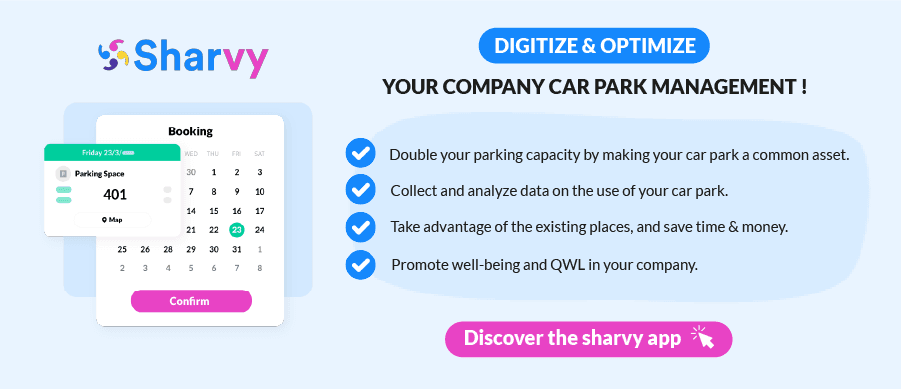
Mistake 4: Failing to define key performance indicators (KPIs).
Installing software without knowing what you want to measure is like driving without a dashboard. Many companies forget to define KPIs to track the effectiveness of the software and the optimisation of their car park.
↪ The consequences?
- Difficulty in assessing whether the software actually improves space and flow management.
- Inability to detect friction points or underused features.
- Lack of data to justify the investment or adjust processes.
↪ How can you avoid this?
Define the indicators you want to track from the outset: space occupancy rate, average parking time, number of spaces automatically freed up via Sharvy, no-show rate, number of reservations, etc.
Configure the software to generate regular reports and compare this data with your objectives. This will enable you to continuously optimise the management of your company car park and justify your investment.
Mistake 5: Focusing solely on technology and forgetting about people.
Integrating car park management software is not just a matter of servers, APIs and settings. Above all, it is an internal transformation project that changes the way employees interact with their working environment. By focusing solely on the technical aspects, without supporting human change, you risk missing the most important thing: adoption.
↪ The problem?
» A new solution, even a high-performance one, disrupts habits. Employees who had their designated parking space «, must now reserve via an application. Managers, for their part, are switching from Excel tracking to digitalised management.
Without support, this change may be perceived as a constraint rather than an improvement. The result: resistance to change, circumvention of the system, and partial use of features.
↪ The consequences?
- Teams that do not see the added value of the software.
- They continue to operate as before « » .
- Low usage rate despite significant investment.
- Internal tensions between management, HR and users.
↪ How can this be avoided?
Treat this project as a business project, not just an IT project. Before deployment, share the vision: why this software is being implemented, what problems it solves, and what benefits it brings to everyone.
Highlight the collective gains: more fairness in allocating spaces, less time wasted looking for a free space, less stress for employees and simplified management.
In conclusion
Integrating parking management software is not just a technical project: it is a real transformation process that affects logistics, internal processes and the daily lives of employees. Too often, companies underestimate the key steps, and that is where difficulties arise.
By avoiding these common mistakes, you’ll give yourself the best chance of making your software a real lever for efficiency and fairness.
Any questions? Check out the following FAQ!
What are the signs that parking management software is not properly integrated?
There are several warning signs to look out for: persistent manual double entries, inconsistent data between systems (HRIS, access control, accounting), recurring complaints from employees about parking space reservations, or partial use of the software. If your teams continue to manage requests by email or Excel, it is often a sign that they have not fully adopted the solution, or that it is not properly interconnected with other internal tools.
Should the IT department (CIO) be involved from the outset of the project?
Yes, absolutely. The IT department is not only involved in installing the software, but also in assessing technical compatibility, managing security issues (access, data, servers) and anticipating integrations with existing systems. Furthermore, involving the IT department from the planning stage onwards helps to avoid incompatibilities and potential delays during deployment.
How long does it take to integrate parking management software?
It all depends on the size of the site, the number of users and the complexity of existing systems. On average, a complete deployment (from initial audit to production) takes between 4 and 10 weeks. This includes testing, training and technical adjustments. However, the real key to success is advance preparation: a well-defined project can be deployed much more quickly.
Want to learn more? Check out our latest articles to stay up to date!

5 common mistakes in university car park management
How can you improve the management of your university car park? What are the most common mistakes? What solutions should you consider?
Designated staff parking spaces: is this still relevant?
Are designated staff parking spaces still relevant in the remote-working era? What are the limitations? Focus!
Do you need parking sensors for your company car park?
Are parking sensors a worthwhile investment or just a technological luxury for your company’s parking lot? Let’s take a closer look!
Subscribe to our newsletter!
PARKING & WORKPLACE MANAGEMENT SOLUTION
Car park management - Charging points monitoring - Desk booking - Booking by time slots



LABELS & COMMUNITIES




SUBSCRIBE TO THE NEWSLETTER
Receive the latest Parking & Workplace trends by email once a month.

